


https://www.ximea.com/support/wiki/allprod/checking_the_camera_firmware_and_hardware_revision_with_xicop
Checking the Camera Firmware and Hardware Revision with xiCOP
xiCOP allows to check the connected Camera Hardware Revision.This can speed up troubleshooting of performance issues.
- Connect the camera and start xiCop.
- Wait until all parameters are enumerated
- Read the Camera Hardware Revision from table at right side at the line marked as hw revision.
- Read the Camera firmware revisions (CPU, FPGA, FPGA2...).
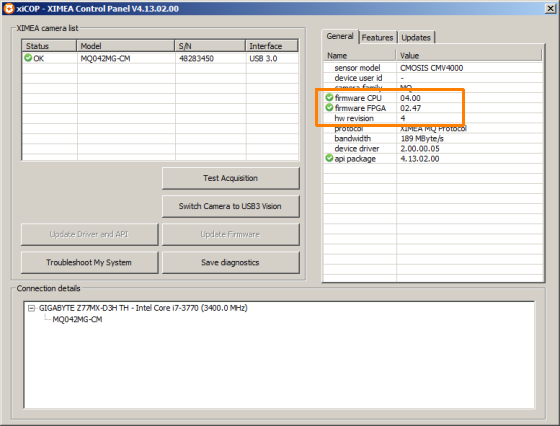
Note: Hardware revisions are supported on cameras MQ, MD.